
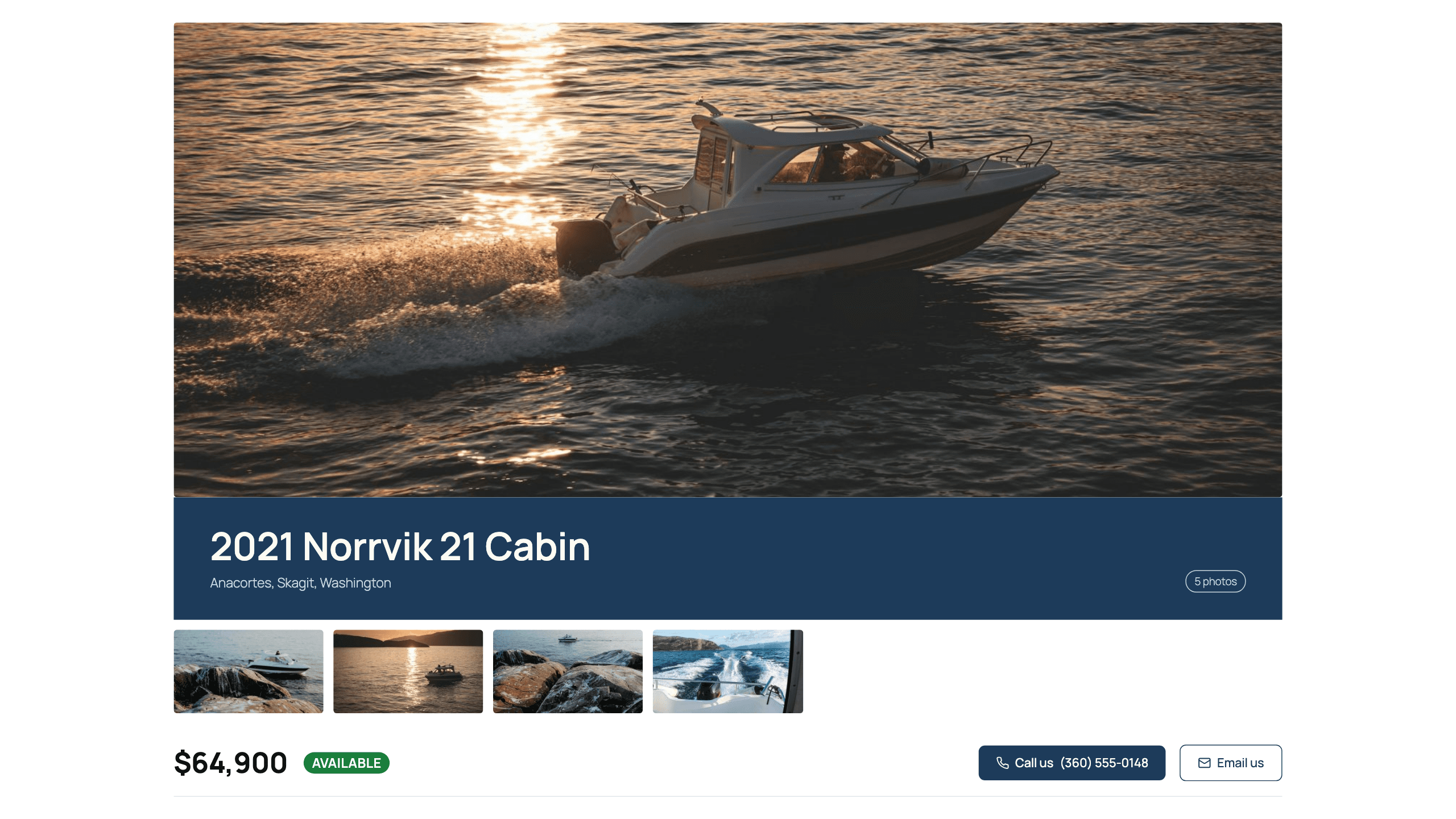
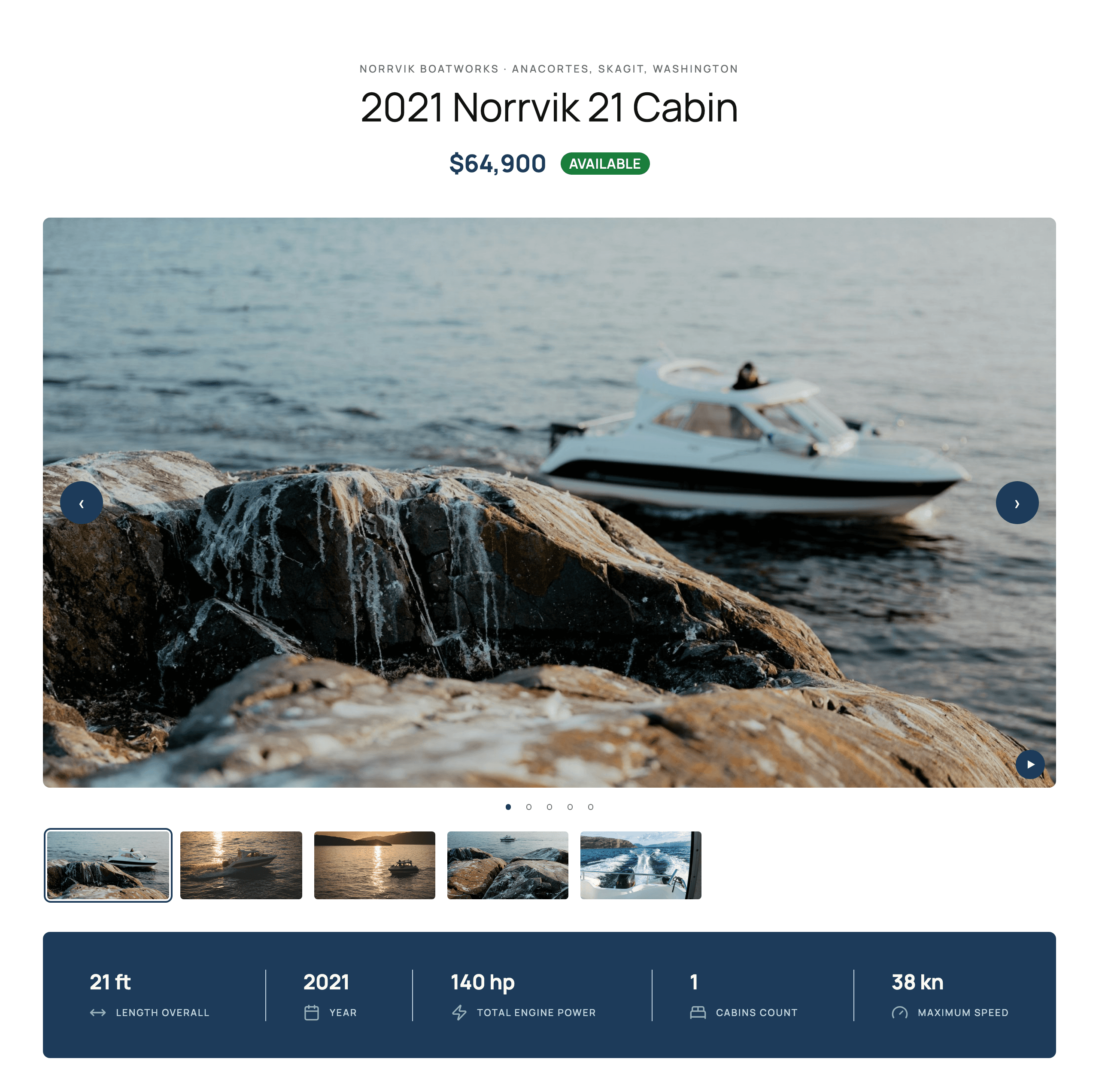
Four designed layouts
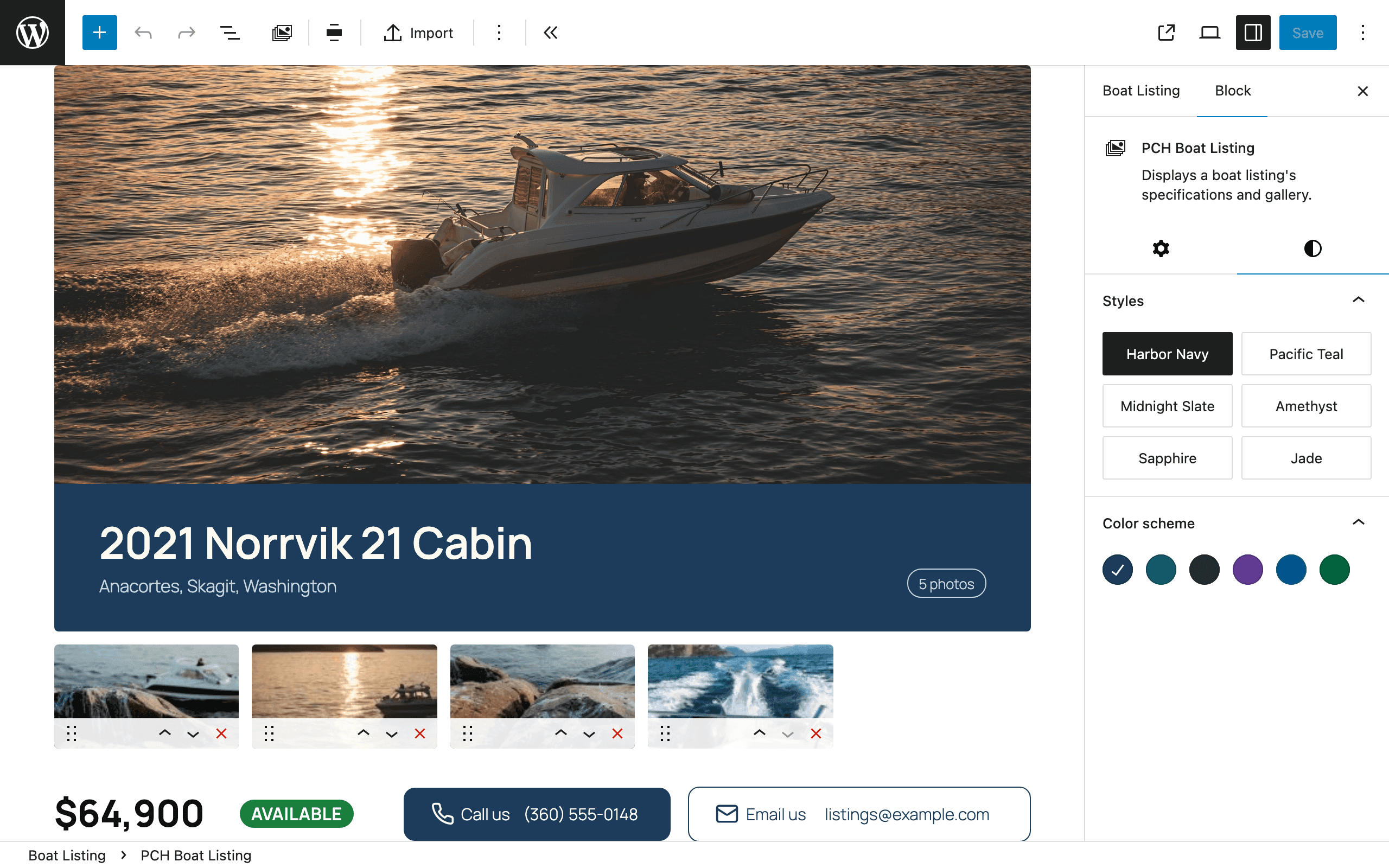
Edited in place, in the block editor
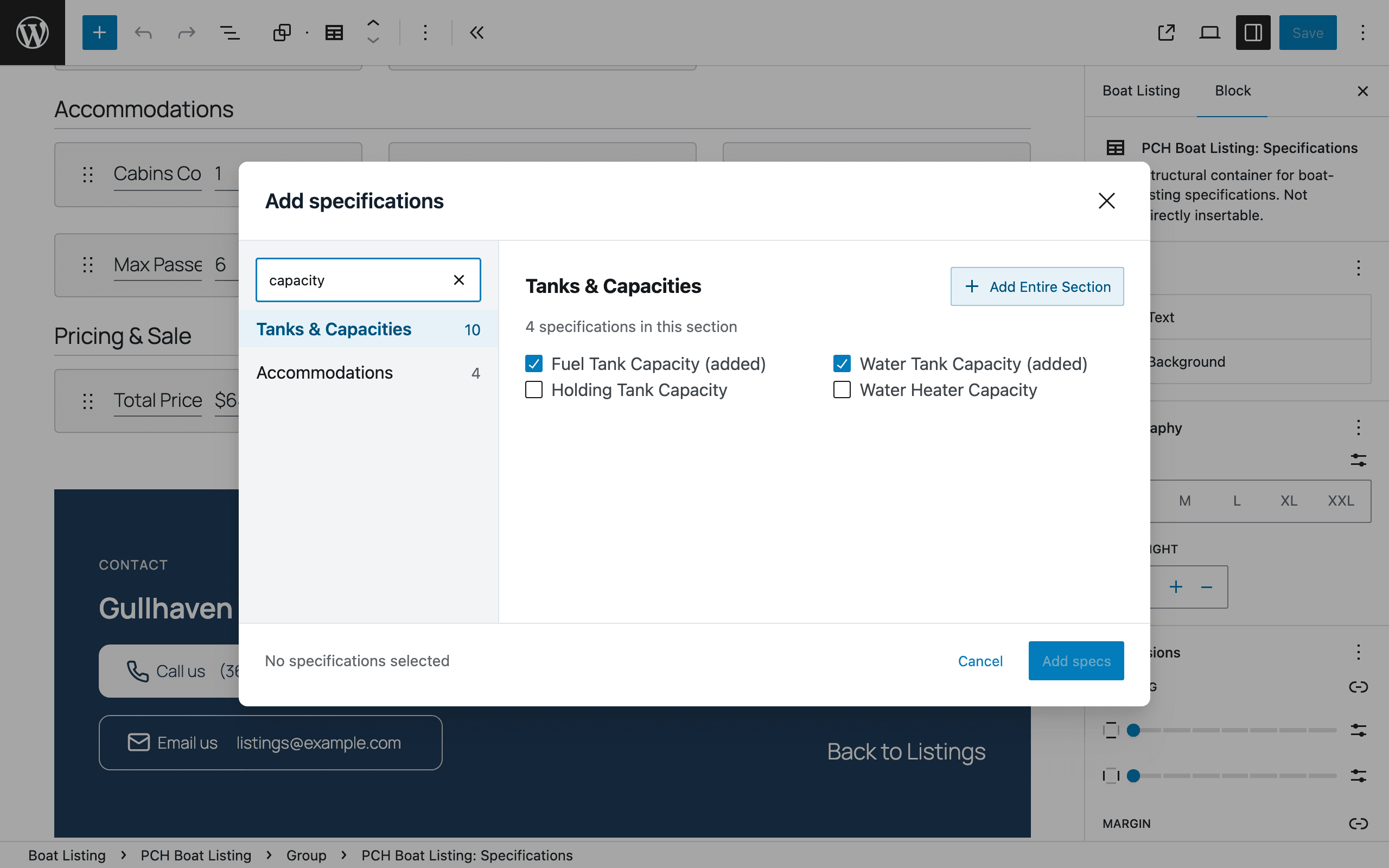
Specifications, picked from a catalog
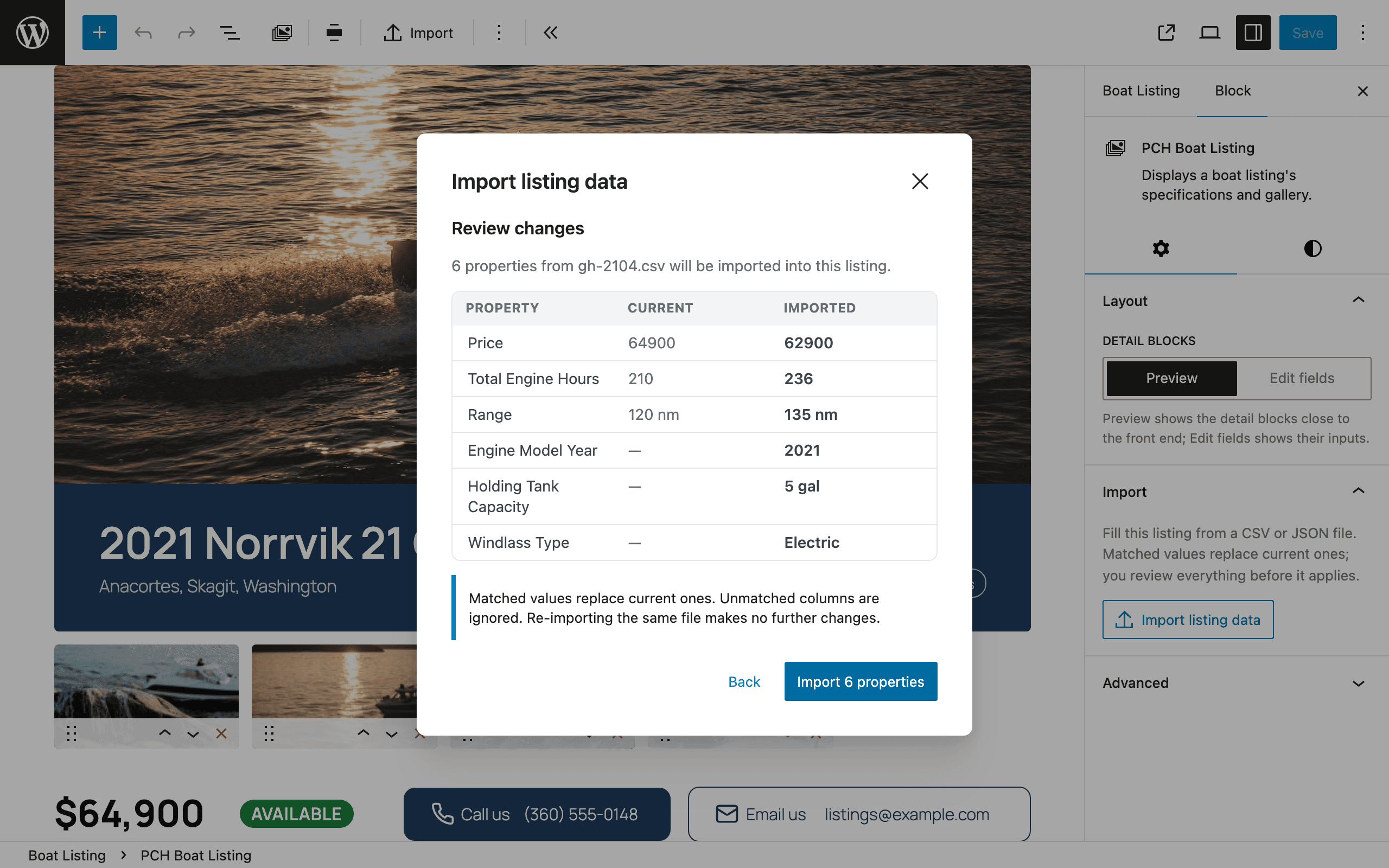
Fill a listing from a file
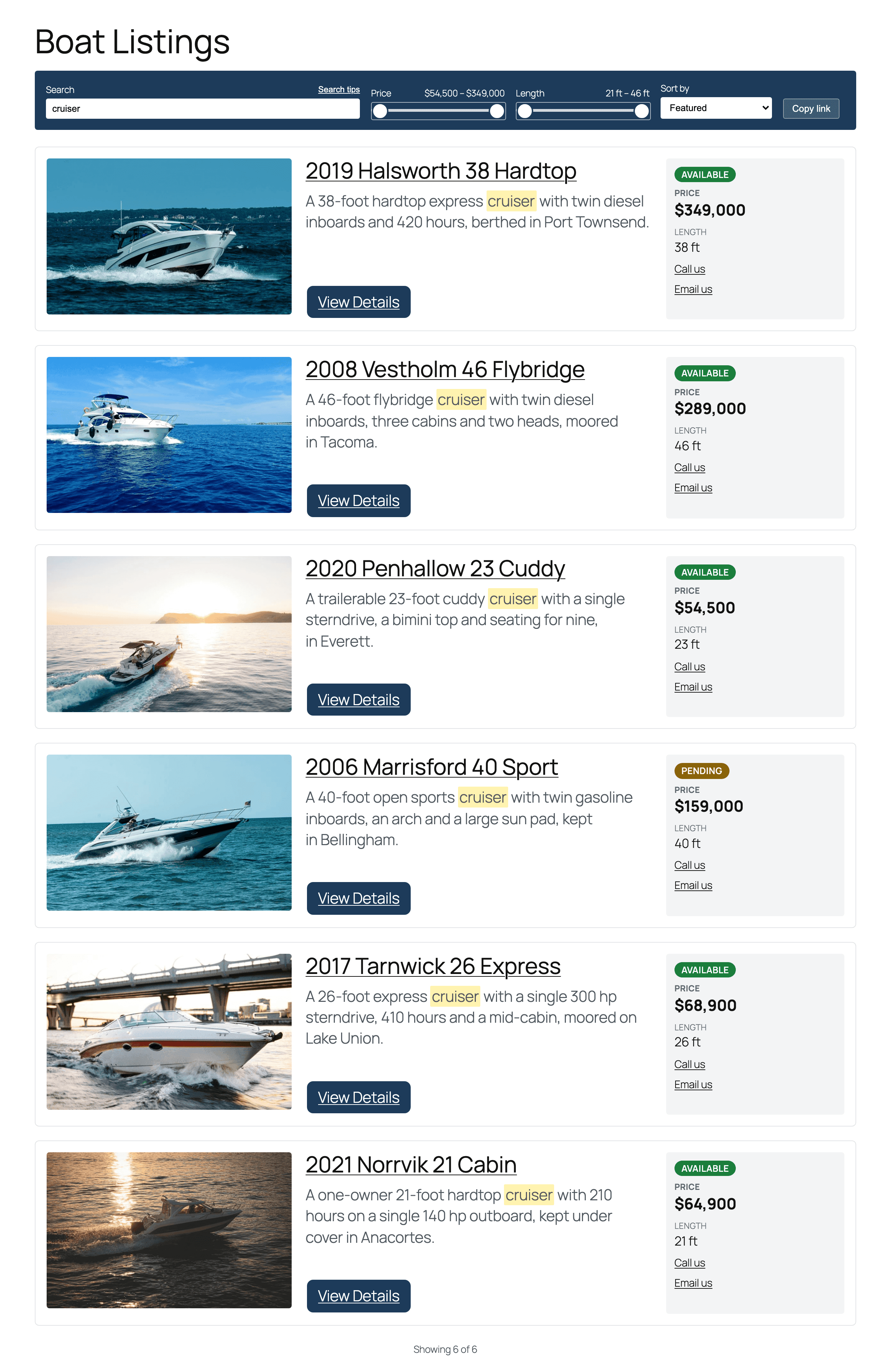
An archive buyers can search
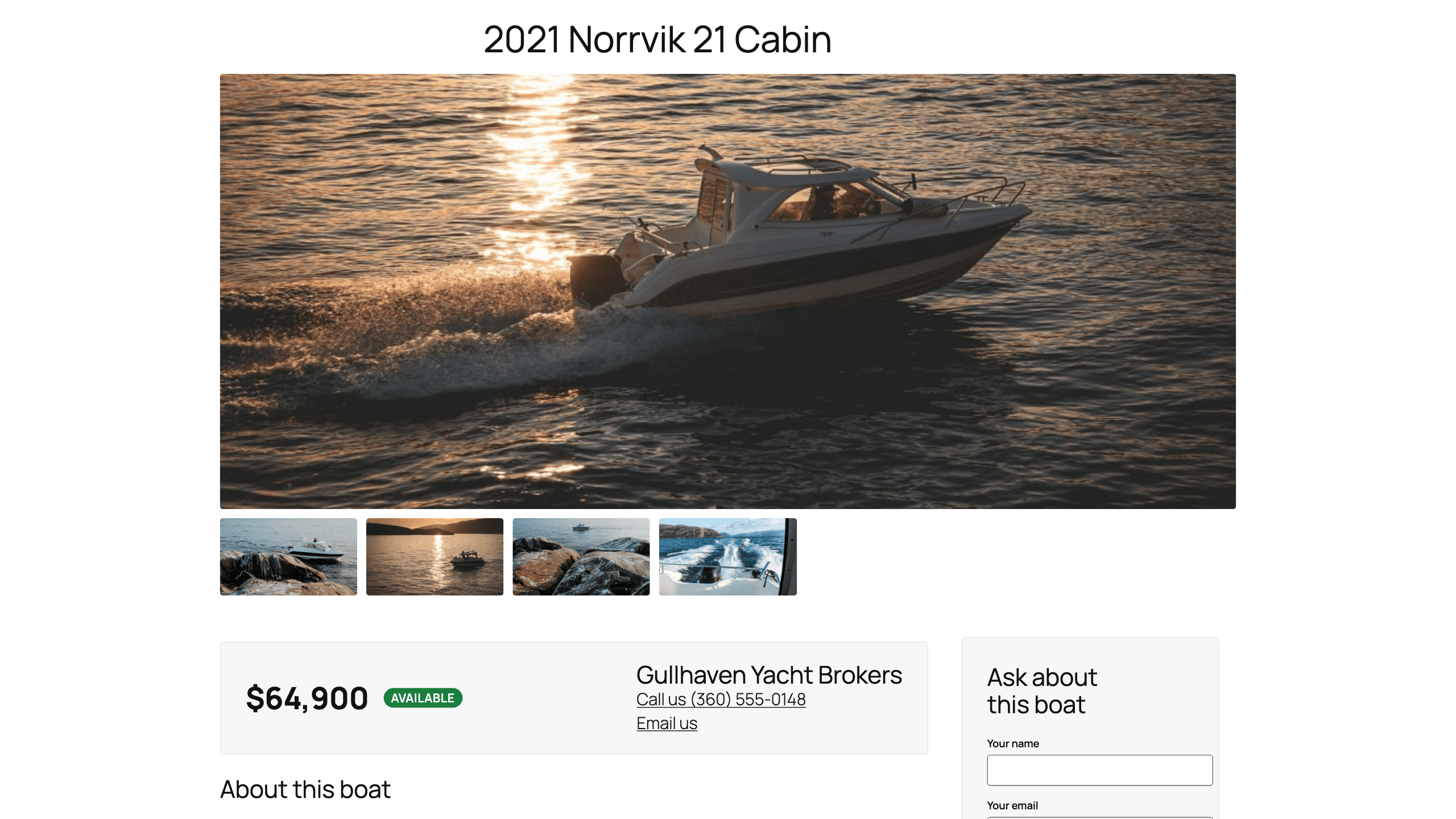
Buyer inquiries, with Flagship

- Maps with no API key
After you save a listing, its address is geocoded in the background with OpenStreetMap's Nominatim service, and the map uses OpenStreetMap tiles. Neither needs a key or an account. The address is sent to Nominatim, and a visitor's browser loads the map tiles from OpenStreetMap.
- Steps aside for your SEO plugin
Each listing publishes a meta description, Open Graph tags and Product structured data with its price and availability. When Yoast SEO, Rank Math, All in One SEO or SEOPress is active, it steps aside so nothing prints twice, and the Product data is then up to that plugin.
- Site-wide defaults
Set your contact details and your location once, on the settings page, and every listing inherits them. Change them later and you can update every existing listing, or leave them: a listing you never changed follows the new defaults anyway.
- Your URLs, your labels
Listings are a post type of their own. Choose the address they live under and what they are called, and add your own taxonomies, nested or flat.
- Upgrade to Flagship in place
Pro and Flagship read the same listings and settings, so moving to Flagship moves nothing. Enter a Flagship key on Pro's Licenses tab, and Pro installs Flagship in its place.
- Tabs and maps that take the keyboard
The Tabbed dossier's tabs move with the arrow keys and can be linked to directly, and every map pans and zooms from the keyboard. Carousels and maps respect a visitor's reduced-motion setting, and the words visitors read can be translated.
Questions
Is there a free version?
No. PCH Boat Listings comes in two paid editions, Pro and Flagship, and it is not on WordPress.org. Every purchase has a 30-day money-back guarantee.
What does my host need?
PHP 8.3 or newer — both editions need it. You can see your site's PHP version under Tools → Site Health → Info → Server before you buy. If it is older, ask your host to upgrade it.
Can I move from Pro to Flagship later?
Yes, and nothing moves: both editions read the same listings and settings. On a subscription, upgrade from the Licenses page in your account, where you pay only the difference for the rest of the billing period. Then enter that same key in the Flagship field on Pro's Licenses tab, and Pro installs Flagship in its place. On a one-time license, ask for a refund within the 30-day money-back window and buy Flagship instead; after that, Flagship is a separate purchase.
Does it sync with an inventory feed?
No. Each listing is written in the block editor, or filled from a CSV or JSON file with the listing block's import.
Do the maps need an API key?
No. After you save a listing, its address is geocoded in the background with OpenStreetMap's Nominatim service, and the map uses OpenStreetMap tiles. Neither needs a key or an account. The address is sent to Nominatim, and a visitor's browser loads the map tiles from OpenStreetMap. On Flagship, a location a visitor types into radius search is sent to Nominatim from your site as well.
Will it conflict with my SEO plugin?
No. When Yoast SEO, Rank Math, All in One SEO or SEOPress is active, PCH Boat Listings steps aside so nothing is printed twice, and the listing's structured data is then up to that plugin. Without one, it publishes a meta description, Open Graph tags and Product structured data with the price and availability for each listing itself.
Where do Flagship's inquiries go?
Each inquiry is saved in WordPress first, then emailed to the listing's contact address, or to your site-wide contact address when the listing has none — so a failed email never loses one. If neither has an address, the inquiry is saved but not emailed. In WordPress, only editors and administrators can read them. You can also send each one to a webhook.
Get PCH Boat Listings Pro
Designed boat listings: four layouts, six color schemes, a specification catalog, import from CSV or JSON, a searchable archive and maps.
PCH Boat Listings Pro needs PHP 8.3 or newer and WordPress 6.8 or newer. You can see your site’s PHP version under Tools → Site Health → Info → Server. If it is older, ask your host to upgrade it before you buy. How to check your PHP version
Every purchase has a 30-day money-back guarantee.
Pro
Designed boat listings: four layouts, six color schemes, a specification catalog, import from CSV or JSON, a searchable archive and maps.
- Boat listings as their own post type, with your own URL slug and labels
- Listing blocks for the gallery, price, status, specifications, contact and location, edited in place
- Four designed layouts: Standard, Hero showcase, Tabbed dossier and Brochure spec sheet
- Six color schemes
- A searchable catalog of boat specifications, grouped by category
- A photo and video gallery, with a lightbox
- Fill a listing from a CSV or JSON file, and review every change before it applies
- A listings archive with fuzzy search, price and length filters, and shareable links
- Background geocoding and maps, with no API key
- Product structured data, Open Graph and meta descriptions, which step aside for your SEO plugin
- Site-wide contact and location defaults that every listing inherits
- Upgrade to Flagship in place, with every listing and setting kept
- Dedicated support
Price for one site. Every release while your subscription is active, new major versions included — a lapse stops updates, never the plugin.
Pro Forever
Designed boat listings: four layouts, six color schemes, a specification catalog, import from CSV or JSON, a searchable archive and maps.
- Boat listings as their own post type, with your own URL slug and labels
- Listing blocks for the gallery, price, status, specifications, contact and location, edited in place
- Four designed layouts: Standard, Hero showcase, Tabbed dossier and Brochure spec sheet
- Six color schemes
- A searchable catalog of boat specifications, grouped by category
- A photo and video gallery, with a lightbox
- Fill a listing from a CSV or JSON file, and review every change before it applies
- A listings archive with fuzzy search, price and length filters, and shareable links
- Background geocoding and maps, with no API key
- Product structured data, Open Graph and meta descriptions, which step aside for your SEO plugin
- Site-wide contact and location defaults that every listing inherits
- Upgrade to Flagship in place, with every listing and setting kept
- Dedicated support
- Yours forever — one year of updates included
Price for one site. Updates for a year, up to the next paid version. After that, keep the build you own — renew updates for $129, or upgrade to a new paid version, when one ships, for $249.
Flagship
Everything in Pro, plus buyer inquiries on the listing, PDF brochures, marine filters with radius search and a map, a loan calculator and the Concierge layout.
- Boat listings as their own post type, with your own URL slug and labels
- Listing blocks for the gallery, price, status, specifications, contact and location, edited in place
- Four designed layouts: Standard, Hero showcase, Tabbed dossier and Brochure spec sheet
- Six color schemes
- A searchable catalog of boat specifications, grouped by category
- A photo and video gallery, with a lightbox
- Fill a listing from a CSV or JSON file, and review every change before it applies
- A listings archive with fuzzy search, price and length filters, and shareable links
- Background geocoding and maps, with no API key
- Product structured data, Open Graph and meta descriptions, which step aside for your SEO plugin
- Site-wide contact and location defaults that every listing inherits
- Buyer inquiries on the listing, saved before the email is sent
- Spam protection without a captcha
- Inquiries in WordPress's personal data export and erasure tools, and an optional webhook
- A PDF brochure for every listing, at its own URL
- Marine filters: trailerable, shallow draft, liveaboard-ready, family day boat and engine type
- Radius search and a map on the listings archive
- A marine loan calculator, with 5-, 10-, 12-, 15- and 20-year terms
- The Concierge layout
- Three more color schemes: Mahogany, Graphite and Claret
- Dedicated support
Price for one site. Every release while your subscription is active, new major versions included — a lapse stops updates, never the plugin.